
 By
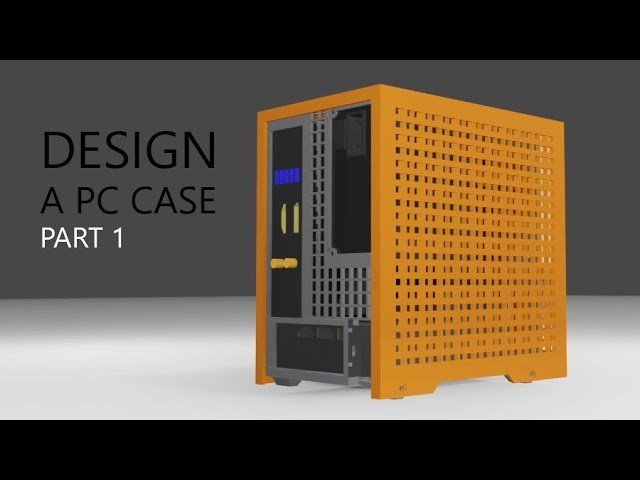
ByDesigning a PC case involves tailoring the enclosure to the computer’s cooling, size, and aesthetic needs. It requires balancing functionality with user preferences.
Table of Contents
Creating the perfect PC case is both an art and a science that caters to the diverse requirements of computer enthusiasts. A well-designed case not only houses and protects the vital components of a PC but also ensures efficient airflow and cooling, critical for optimal performance.
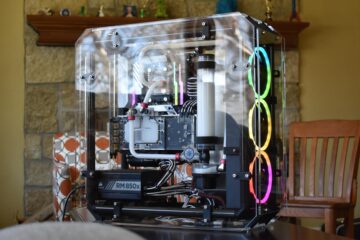
The design process begins with defining the form factor to accommodate different motherboard sizes, from the compact ITX to the expansive ATX designs. It also entails deciding on the case’s material, whether it’s the lightness of aluminium or the durability of steel, each impacting the final product’s look and thermal performance. Aesthetics play a crucial role as designers aim to echo the user’s personal style, integrating elements such as transparent side panels or customizable RGB lighting. Accessibility is another pivotal feature, making sure that users can easily upgrade or repair their systems. As technology evolves, so do case designs, integrating new trends and user feedback to meet the ever-growing demand for innovative and user-centered PC cases.
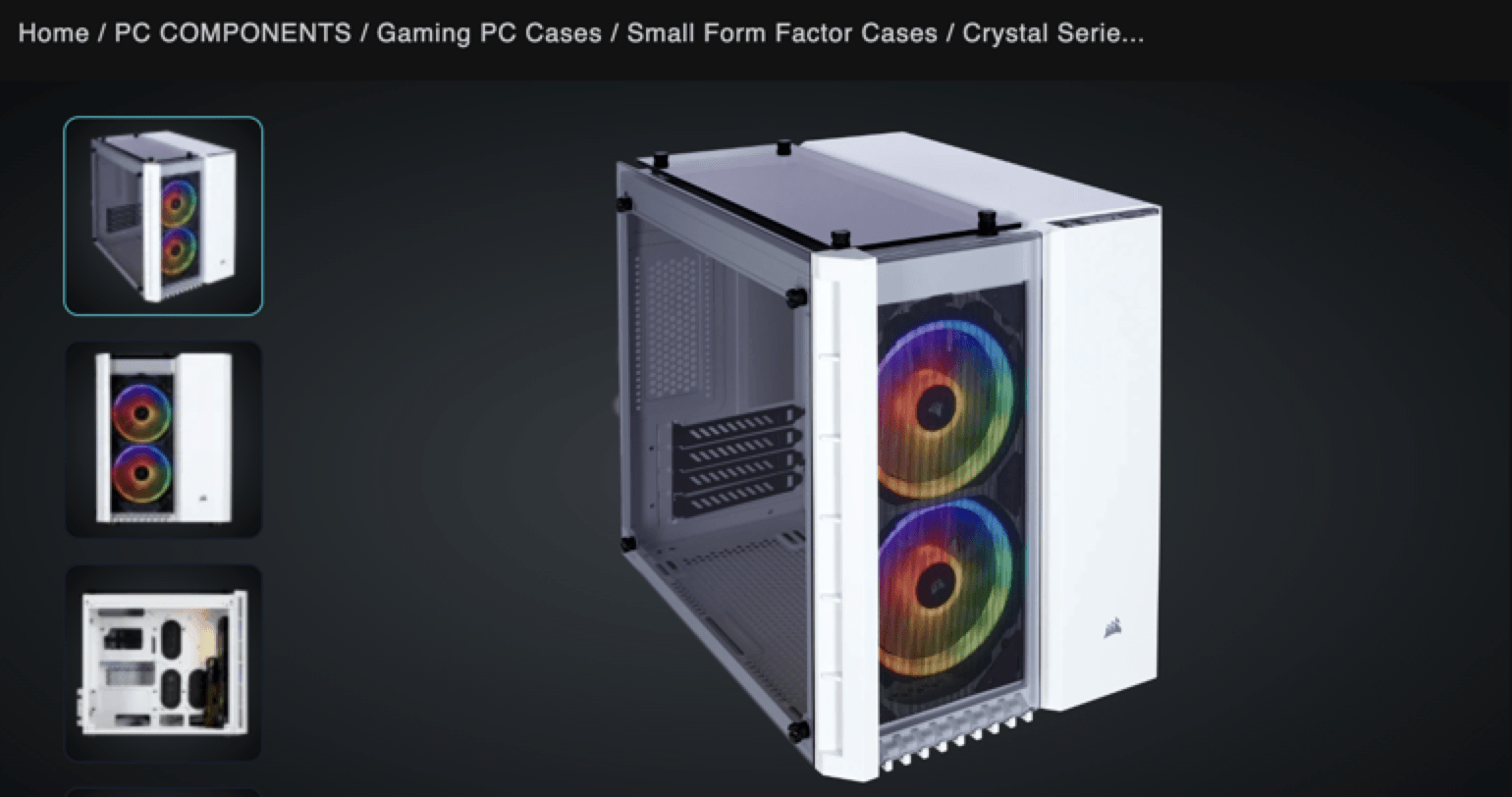
Credit: www.webfx.com
The Evolution Of Pc Case Design
A journey through time shows PC cases transforming dramatically.
Initially simple boxes, these enclosures have become personalized statements of technology and art.
Let’s explore how necessity and creativity shaped the PC case into today’s modern marvels.
From Function To Form
Early PC cases prioritized function over aesthetics. They housed components, nothing more.
Then, demands grew for better designs. People desired more than gray boxes.
The trend shifted towards sleek, compact, and often boldly expressive cases.
Unique materials and vibrant colors entered the scene.
These changes reflected an emphasis on user experience and personal taste.
- Size reduction for convenience
- Inclusion of transparent panels for visibility
- Customizable features for individuality
Influence Of Technology On Aesthetics
Advancements in technology brought new possibilities.
LED lighting and RGB components led to cases that not only protected but flaunted the hardware within.
Thermal management considerations influenced the introduction of mesh fronts and better venting systems.
Manufacturers began integrating smart features, such as built-in fan controllers and temperature displays.
| Year | Advancement | Impact |
|---|---|---|
| Early 2000s | LED Lighting | Visual appeal |
| 2010s | RGB Components | Customization |
| Recent Years | Smart Features | Functionality and control |
Essential Factors In Pc Case Design
When creating a PC case, certain aspects are critical for an optimum build.
Consideration of materials, thermal performance, and internal organization ensures functionality.
Let’s dive into the crucial elements that make a PC case stand out.
Material Choices
Materials affect durability and aesthetics.
- Steel – Common, offers strength.
- Aluminum – Lightweight, enhances portability.
- Tempered glass – Adds visual appeal.
- Plastic – Cost-effective, flexible design options.
Thermal Management
Effective cooling extends component life.
- Airflow – Case design should promote air circulation.
- Fan placement – Strategic fan slots for optimal cooling.
- Dust filters – Keep internals clean, maintain airflow.
- Water-cooling support – Room for radiators and reservoirs.
Internal Layout
Smart layout boosts performance and ease of assembly.
Here’s what to consider:
| Feature | Purpose |
|---|---|
| Cable Management | Clean look, better airflow. |
| Drive Bays | Flexibility for storage needs. |
| Motherboard Tray | Adjustable for different sizes. |
| Expansion Slots | Space for additional hardware. |
User Preferences And Market Trends
When it comes to building a personal computer, the case is more than a box. It reflects individual style and performance needs. A perfect PC case meets user preferences and stays ahead of market trends. These elements are crucial for creating a case that stands out in a crowded market.
Gaming Community Demand
The gaming community always seeks cases that offer cooling efficiency and robust support for high-end components. Gamers prioritize cases with ample space, airflow, and the ability to incorporate advanced cooling solutions. Features like built-in cable management and tool-less design also top their list for quick and easy upgrades.
- High airflow designs to keep components cool.
- Space for multiple GPUs and liquid cooling systems.
- Transparent side panels to showcase the interior aesthetics.
- LED lighting for a personalized touch.
Minimalist Vs. Flashy Designs
The clash between minimalist and flashy designs continues. Minimalist cases appeal for their clean lines and understated elegance. They match well with professional environments and appeal to users preferring a sleek look. In contrast, flashy cases with bold colors and dynamic lighting attract those who want to make a statement.
| Minimalist | Flashy |
|---|---|
| Simple, clean aesthetics | Vivid colors and lighting |
| Often subdued colors | Eye-catching designs |
| Focus on functionality | Emphasis on personalization |
Impact Of Modding Culture
Modding culture has significantly shaped PC case development. Customization opportunities are endless, from cutting-edge exterior modifications to unique lighting setups. Enthusiasts enjoy cases that can be easily modified and personalized. Manufacturers now often incorporate mod-friendly features directly into their designs.
- Cases with mod-friendly features are increasingly popular.
- DIY enthusiasts and professional modders drive innovation in case design.
- Personal expression through modding is a key driving force in the market.
Understanding these preferences and trends helps brands to design PC cases that resonate with consumers and stand the test of time in a rapidly evolving marketplace.
Designing For Manufacturability
Designing a PC case is not just about style and functionality. It requires a focus on Designing for Manufacturability. This approach ensures that the design is easy to produce while maintaining high quality. Let’s guide you through the essentials of turning a concept into a tangible product.
Prototyping Processes
Prototyping turns ideas into reality. Here are common methods used:
- 3D Printing: Creates detailed models for hands-on evaluation.
- CNC Machining: Useful for precise, custom parts.
- Laser Cutting: Cuts materials accurately for the prototype.
Case Manufacturing Techniques
Different case manufacturing techniques affect quality and production:
| Technique | Benefit |
|---|---|
| Injection Molding | Mass production, consistent quality |
| Stamping | Cost-effective for metal cases |
| Extrusion | Good for complex shapes |
Cost Considerations
Understanding cost is crucial in design:
- Select materials wisely to balance quality and price.
- Streamline design to reduce production steps.
- Consider the scale to optimize manufacturing costs.
Innovative Features In Modern Pc Cases
PC enthusiasts, take note! The landscape of PC cases evolves with breathtaking innovation. Modern designs no longer just protect components. They enhance performance and aesthetics. Let’s explore some cutting-edge features in today’s PC cases.
Integrated Lighting Systems
The allure of a custom PC often shines through its lighting. Integrated lighting systems have become more than a trend. They are a staple in modern case design. Users find pre-installed RGB LED strips and fans. These features bring cases to life with vibrant colors and patterns. A dedicated software interface often controls these lights. It allows for a personalized touch to match any mood or style.
Tool-less Access And Modularity
Modern PC cases value user convenience highly. With tool-less access, case panels snap on and off effortlessly. No screws, no hassle. This feature speeds up the installation and upgrade process. Modularity rises hand in hand with tool-less design. Cases offer removable components. You can rearrange or replace parts such as drive bays and mount points. This flexibility makes for a customized experience and easier maintenance.
Liquid Cooling Support
Liquid cooling is no longer a luxury. It is a necessity for high-performance PCs. Modern cases cater to cooling needs with integrated support for liquid cooling systems. They have mounting areas for radiators and reservoirs. They also offer channels for routing tubing. This support allows for efficient heat dissipation. It also contributes to quieter operation compared to traditional air-cooled systems.
Want a PC that stands out? These innovative features are your starting point. They give your PC case a fresh, modern look. They also provide functionality that helps squeeze every bit of performance from your build.

Credit: www.behance.net
The Future Of Pc Case Design
Visualizing the evolution of PC cases stimulates excitement for tech enthusiasts and environmentalists alike.
As we step into a new era of computing, the traditional tower may transform dramatically.
Innovations now focus on merging functionality with eco-friendliness and smart technology.
Let’s delve into what the future holds.
Sustainable Materials
A shift toward green materials is shaping PC case design.
Manufacturers opt for renewable resources and recycled goods to minimize environmental impact.
- Bamboo – Grows fast, sturdy, biodegradable.
- Recycled plastics – Reduces waste, promotes circular economy.
- Aluminum – Durable, often recycled, sleek finish.
Smart Case Technology
Smart cases are about ease and personalization.
They adapt to users’ preferences and can change the way we interact with PCs.
| Feature | Benefit |
|---|---|
| Thermal sensors | Optimizes cooling, enhances performance. |
| Voice recognition | Hands-free control, personal settings. |
| RGB lighting | Custom aesthetics, mood enhancement. |
Predicting User Needs
The future of PC case design lies in anticipation and adaptability.
Cases must meet various user profiles, from gamers to remote workers.
- Modularity – Easy upgrades, flexible components.
- Ergonomic designs – Comfort, reduced strain over long periods.
- Integrated docks – Seamless connectivity, clutter-free desks.
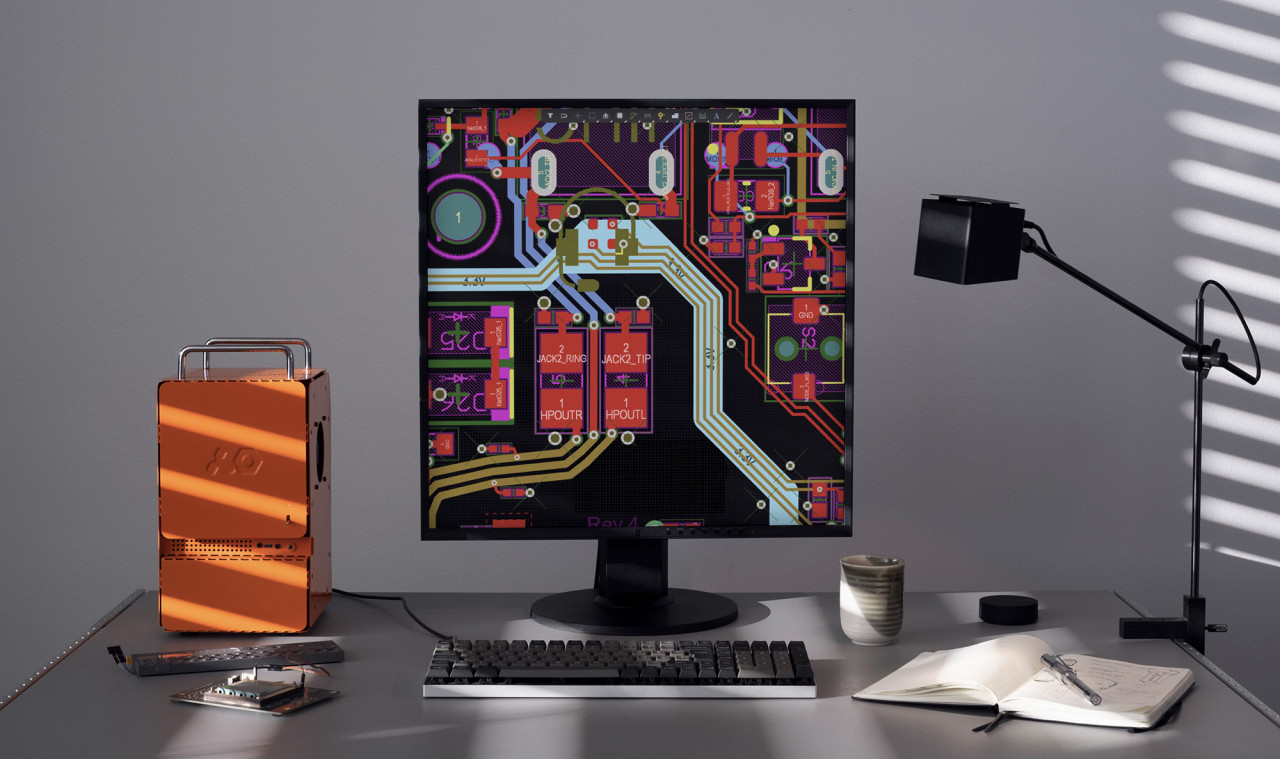
Credit: design-milk.com
More PC Cases
Benefits of a 3D Printed PC Case: Why You Should Try It
Frequently Asked Questions For Designing A Pc Case
What Factors Influence Pc Case Design?
Designing a PC case involves considering airflow, component compatibility, form factor, aesthetics, and materials. Proper airflow ensures cooling efficiency, while component compatibility ensures all parts fit. Form factor relates to the motherboard size, and materials impact durability and appearance.
How To Optimize Airflow In Pc Cases?
Optimizing airflow in a PC case requires strategic fan placement for intake and exhaust, and cable management to prevent obstruction. Utilize front or bottom fans for cool air intake and top or rear fans for hot air exhaust, maintaining a balanced airflow for optimal cooling.
What Are Common Pc Case Form Factors?
Common PC case form factors include ATX, mATX, and ITX. ATX cases are popular for their spacious design and upgrade flexibility. MATX cases are smaller but still offer reasonable space. ITX cases are compact, catering to minimalistic or small-space setups.
Can Pc Case Design Impact Performance?
PC case design can impact performance by affecting thermal management and component longevity. A well-designed case with good airflow helps maintain optimal temperatures, which can enhance CPU and GPU performance and prevent thermal throttling.
Conclusion
Crafting the ideal PC case boils down to a blend of aesthetic appeal and functionality. Picking the right design enhances your computing experience and ensures system longevity. Remember, your case is the protective shell and canvas for your tech masterpiece.
As trends evolve, stay informed and let your creativity lead the way in case design.

Backbiome is a naturally crafted, research-backed daily supplement formulated to gently relieve back tension and soothe sciatic discomfort.
The bodys natural process of skin cell renewal is essential for preserving a smooth, healthy, and youthful-looking complexion.
Backbiome is a naturally crafted, research-backed daily supplement formulated to gently relieve back tension and soothe sciatic discomfort.
The way you presented the information is really impressive. It’s simple yet very effective.